





Introduction
In 2025, note-taking is no longer just about writing things down. With the rise of artificial intelligence, modern note-taking apps can now summarize meetings, organize ideas automatically, and even suggest insights based on your content.
Whether you are a student, professional, or content creator, using an AI-powered note app can save hours of work and dramatically improve productivity.
Below are three of the most advanced and widely used AI note-taking apps shaping the way people capture and manage information today.
1. Notion AI – Smart Notes Inside an All-in-One Workspace
Notion AI takes the already powerful Notion platform and enhances it with intelligent writing and organization features. It helps users transform raw notes into structured, meaningful content instantly.
Key features
- AI-generated summaries for long notes and documents
- Automatic rewriting, expansion, and tone adjustment
- Smart task extraction from meeting notes
- Seamless integration with databases, calendars, and project boards
Why it stands out
Notion AI doesn’t just store notes — it actively helps users think, write, and organize better. It is especially powerful for managing complex projects or large volumes of information.
Best for: Students, remote teams, writers, and professionals managing multiple projects.

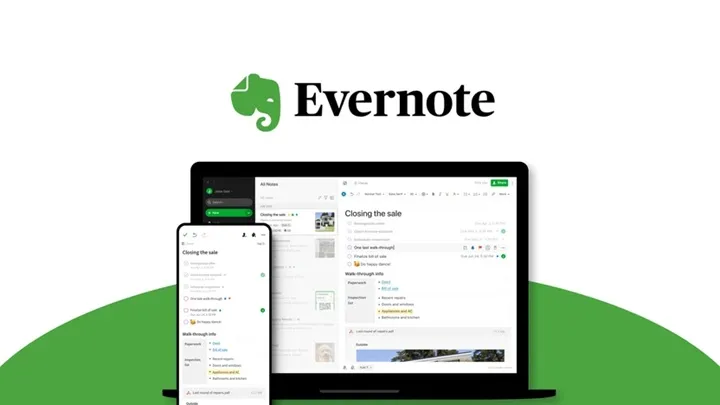
2. Evernote – Intelligent Note Organization at Scale
Evernote remains one of the most trusted note-taking apps, now enhanced with AI-powered search and organization tools.
What makes Evernote powerful
- AI search that finds text inside notes, images, and PDFs
- Automatic note categorization
- Web clipping for articles and research
- Cross-device syncing with offline access
Why people still rely on it
Evernote excels at handling large note libraries. Its AI features help users quickly retrieve information without manually organizing everything.
Best for: Researchers, professionals, and users with extensive note archives.
3. Microsoft OneNote + Copilot – Smart Notes for the Microsoft Ecosystem
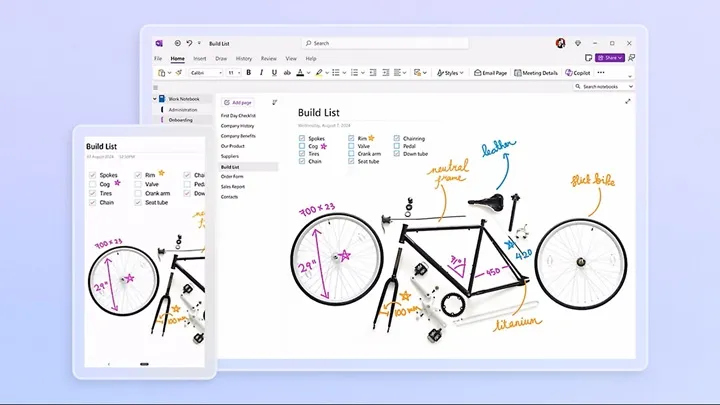
With the integration of Copilot, OneNote has evolved into a smarter note-taking tool within Microsoft 365.
Core advantages
- AI-powered summaries and content suggestions
- Voice-to-text note capture
- Seamless integration with Word, Outlook, and Teams
- Freeform note layouts for flexible thinking
Why it matters
For users already using Microsoft products, OneNote with Copilot provides a smooth, intelligent workflow without needing extra apps.
Best for: Office workers, students, and Microsoft 365 users.
Conclusion
AI note-taking apps are transforming how people capture, process, and use information in 2025. Notion AI, Evernote, and OneNote with Copilot each offer unique strengths — from intelligent writing assistance to powerful search and ecosystem integration.
Choosing the right app depends on your workflow, but adopting an AI-powered note solution is one of the smartest productivity upgrades you can make today.